
Scooby-Doo, Where’s My Performance?
React Native 0.84 has landed, and it’s packed with features taking small but meaningful steps toward greater stability. Stability has been the focus for the past several months, as announced on stage at React Universe Conf 2025, including a commitment to a bi-monthly release cycle — all part of the relentless march toward the version number that shall not be spoken: 1.0.
So, What’s New, Scooby-Doo?
Hermes V1 is now the default. If you’re not sure what Hermes V1 — or Hermes itself — is, we covered it in the last issue (#28), but it’s worth reiterating.
Hermes is a lightweight JavaScript engine built by Meta to make React Native apps start faster and run more efficiently on mobile devices. It was first introduced in 2019, and Hermes v1 is a new version of the engine with performance improvements and support for new language features (enhancing support for modern ES syntax and language features).
In short, upgrading now brings measurable performance improvements out of the box. In the Expensify app, TTI (Time to Interactive) improved by around 2.5% on iOS and 7.6% on Android. Bundle load time improved by roughly 9% on iOS and 3.1% on Android. The time between the first component mounting and the app being fully rendered improved by about 7.5% on iOS and 7.2% on Android. Reducing the risk of opening Instagram “for a second” and waking up in 2029.
For more performance — as if your app wasn’t fast enough already — call me Marc Rousavy.
Precompiled Binaries (i.e. native artefacts, explained below) are now enabled by default on iOS in React Native 0.84. Previously, they were an opt-in feature, but now they’re switched on out of the box, significantly reducing iOS build times.
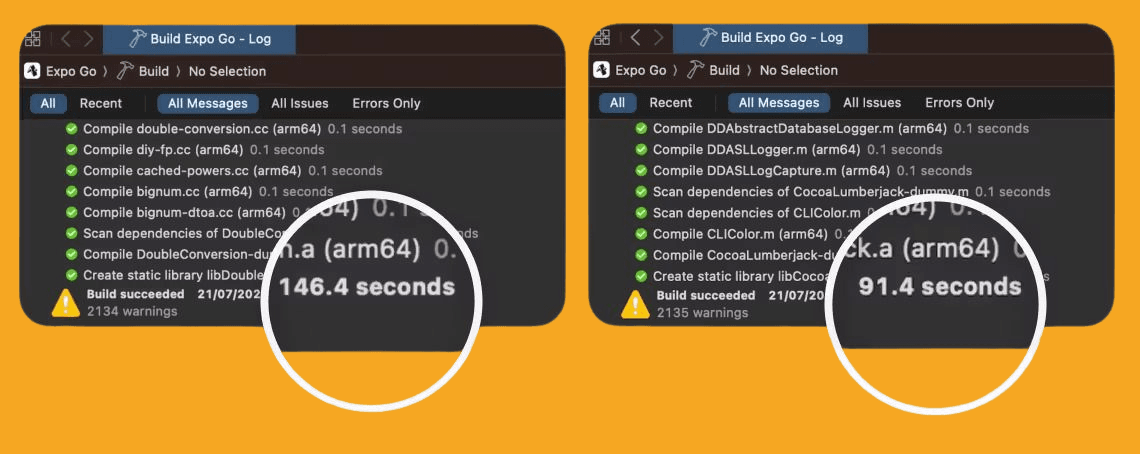
For those who missed it, we previously covered what Precompiled Binaries are in #15. In short, Precompiled Binaries bundle large chunks of the React Native framework ahead of time. Much of React Native is distributed as prebuilt XCFrameworks (binary packages created by Xcode that contain the frameworks and libraries needed to build for multiple platforms).
To clarify the terminology: these are native artefacts. A dependency is third-party code your app relies on (for example, React Native itself), whereas a native artefacts is a compiled chunk of native code included inside that dependency. So in this case, React Native is the dependency, and within it, there are precompiled native artefacts — parts of React Native that have already been compiled into binaries to speed up building and linking.
So what else? For React Native 0.84, you’ll need Node v22.1+. Also, much of the legacy architecture that previously required setting the RCT_REMOVE_LEGACY_ARCH flag to compile out now compiles out by default.
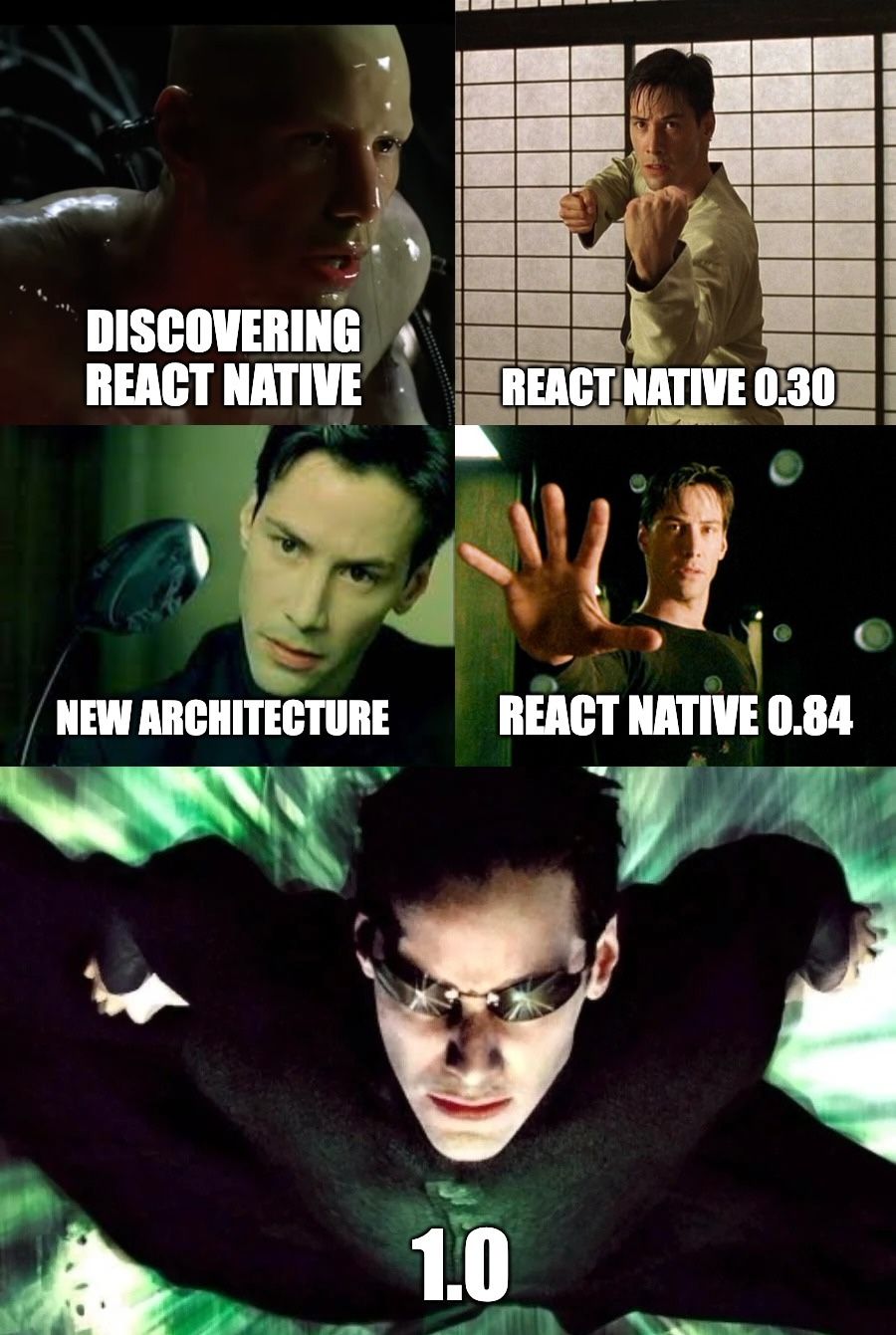
Long live the new architecture!

Reach 250M+ Fire TV Users with Your Existing Apps
While you're competing for App Store visibility, Fire TV offers access to 250+ million users with significantly less competition. Start building for Fire TV using React Native with Vega OS or the Android framework with Fire OS.
The best part? Amazon built robust tooling so you can port existing React Native, Android or web apps without starting from scratch. Deploy fast, monetise real users, and get strong ROI on code you’ve already written.
Performance myth debunked: TV development isn't a hack! By optimising for TV navigation patterns and SMP hardware constraints, your app performs like native on the big screen.
Ready to expand your reach? Dive into the tools and tutorials here:
👉 Vega OS and Vega Developer Tools
Android Obsession? Guilty as Charged
All you people on the internet say this newsletter is too iOS-centric.
Well, you know what? It’s not.
I really… really… like Android. I’ve got the Android robot logo printed in A3 on my wall. I sleep right next to my two Samsung S25 devices. And when my baby mama gets pregnant, I will tell her we’ll name our daughter Kotlin.
Which brings us to React Native Material Palette, an Android-only React Native library based on the Android Palette API. It lets you extract theme colours from images. In the demo below, you’ll see a number of colours extracted from the image to create a visually appealing surrounding. Now… chant om!
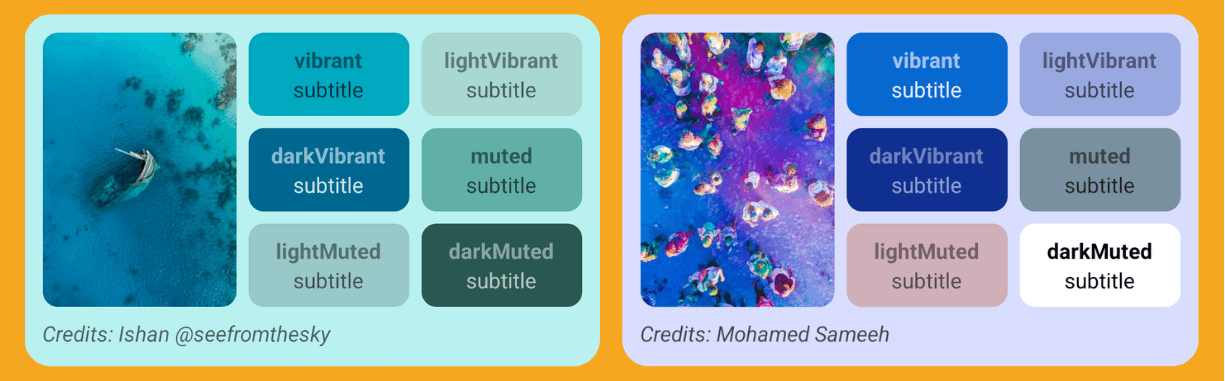
And it’s incredibly easy to use, you can either extract the palette from a remote or local image:
import { createPalette } from 'react-native-material-palette'; const palette = await createPalette({ uri: 'https://example.com/photo.jpg' }); // Local File const palette = await createPalette(require('./photo.jpg'));
So, what could you use this for, you ask? Maybe a profile screen that adapts its colors to the image your user uploaded. Honestly, if this existed for my Tinder profile, it would finally match my aura —or at least make me look like I actually have one.
👉 React Native Material Palette
At Least This Sheet Doesn’t Ghost Me
This Valentine’s, while you’re all out looking for true love, I’m here playing with my True Sheet. Yes, True Sheet —the only sheet that tells the truth 100% of the time. Unlike your partner.
True Sheet is a truly native bottom sheet experience for React Native apps, meaning it’s fully implemented in native code —not JavaScript. Which seems to be the trend these days, because honestly… who even likes JavaScript? Well, not our girlfriends. Otherwise, they’d still be with us.
Now you’re probably thinking, “The news. For Christ’s sake, get to the news already.”
Fine.
True Sheet 3.9 has been released, and it introduces a feature that’s been a pain point in many apps (if you know, you know): Side Sheets.
<TrueSheet anchor="left" maxContentWidth={600} detents={['auto', 1]} > <View /> </TrueSheet>
The new anchor prop, paired with maxContentWidth, lets you dock the sheet to the left or right edge.
And the cool part? Because it’s fully native, you inherit the platform’s built-in ability to move the sheet around on tablets and iPad —and it looks very slick.

Also, if you’re using the library, there is a breaking change in 3.9, note that maxHeight has been renamed to maxContentHeight for consistency with maxContentWidth.

Before you Go: When Text Just Isn’t Enough
Have you ever had that intense craving to… eh… you know —the kind that consumes your entire being… where all you can focus on is the craving… to paste more than just text?
Well, Expo —actually, not Expo, but someone who’s an Expo fan obviously, specifically @iamarunabh— has an answer for your insatiable thirst to paste rich media in React Native: Expo Paste Input.
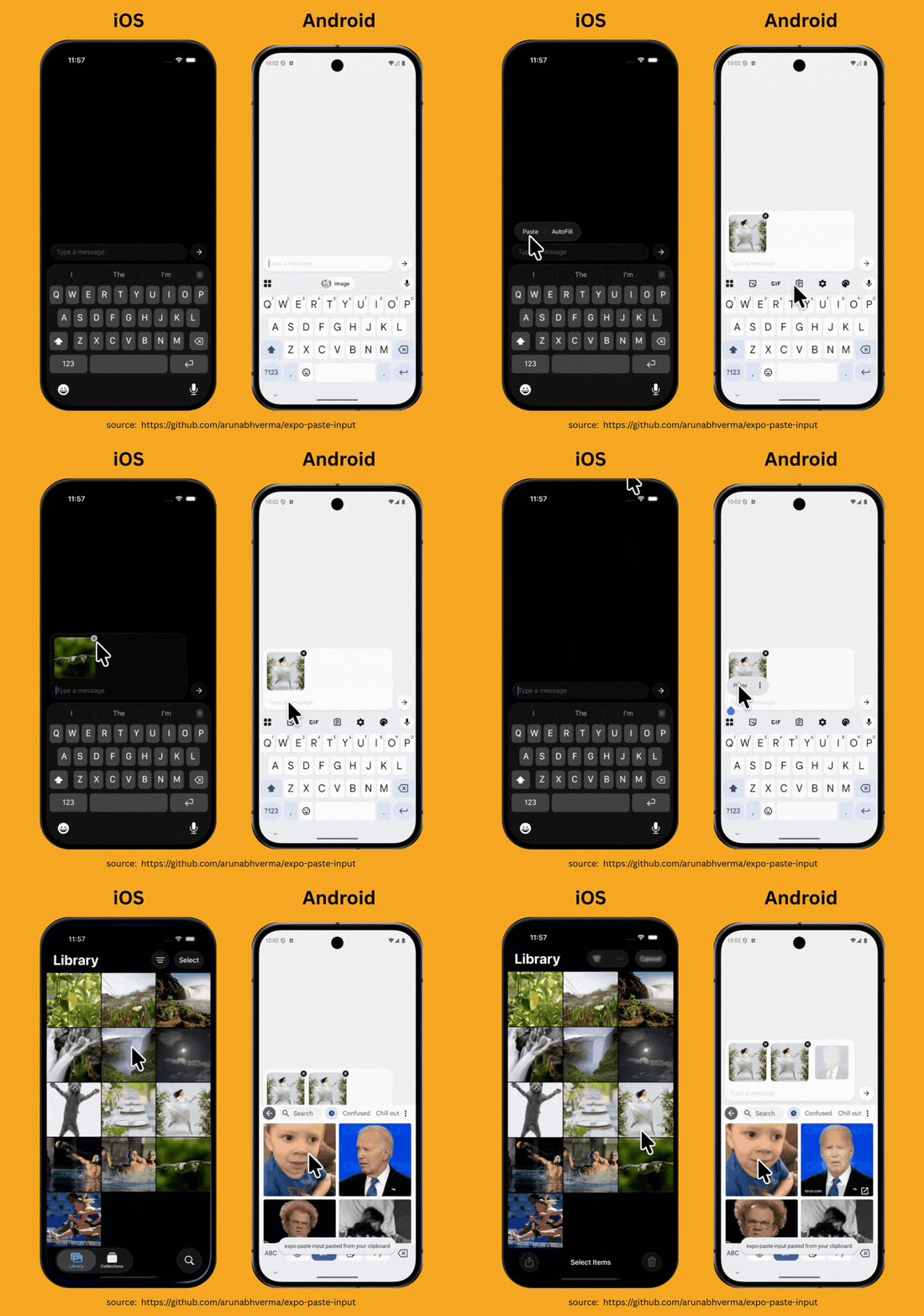
The best part? It’s just a simple wrapper component with no custom UI or styles. It lets you listen to an onPaste callback, which gives you a payload object containing a mix of images and text. You handle it however you like —truly a bring-your-own-component kind of setup.
import { TextInputWrapper } from "expo-paste-input"; import { TextInput } from "react-native"; export default function MyInput() { return ( <TextInputWrapper onPaste={(payload) => { console.log(payload); }} > <TextInput placeholder="Paste here..." /> </TextInputWrapper> ); };
So next time you simply cannot resist and have a GIF just begging to be pasted somewhere, remember: fire up a bundler, run a few yarn commands, and suddenly… all your pasting cravings are satisfied.