
A Drag and Drop Magnum Opus
Dragging and dropping isn’t just something your Grandad does when into a game of Candy Crush on a Sunday evening; it’s something us React Native developers have been fighting to get right since the dawn of time on those Sunday evenings.
There have been a number of libraries which have come along over the years to help make drag-and-drop systems in React Native streamlined and easy enough to implement that you could finish early on a Friday.
Such as React Native Draggable FlatList and, of course, React Native Sortables.
Vishesh Raheja (@entropyconquers) seems to think they can bring a solution to this space—who this is, we don’t know. However, Vishesh just dropped an insane 2.0 release for a library called React Native Reanimated DnD (DnD = Drag and Drop).
The docs are honestly impressive. It’s packed with features such as dynamic heights, smart collision detection, and boundary constraints, among a dozen other features.
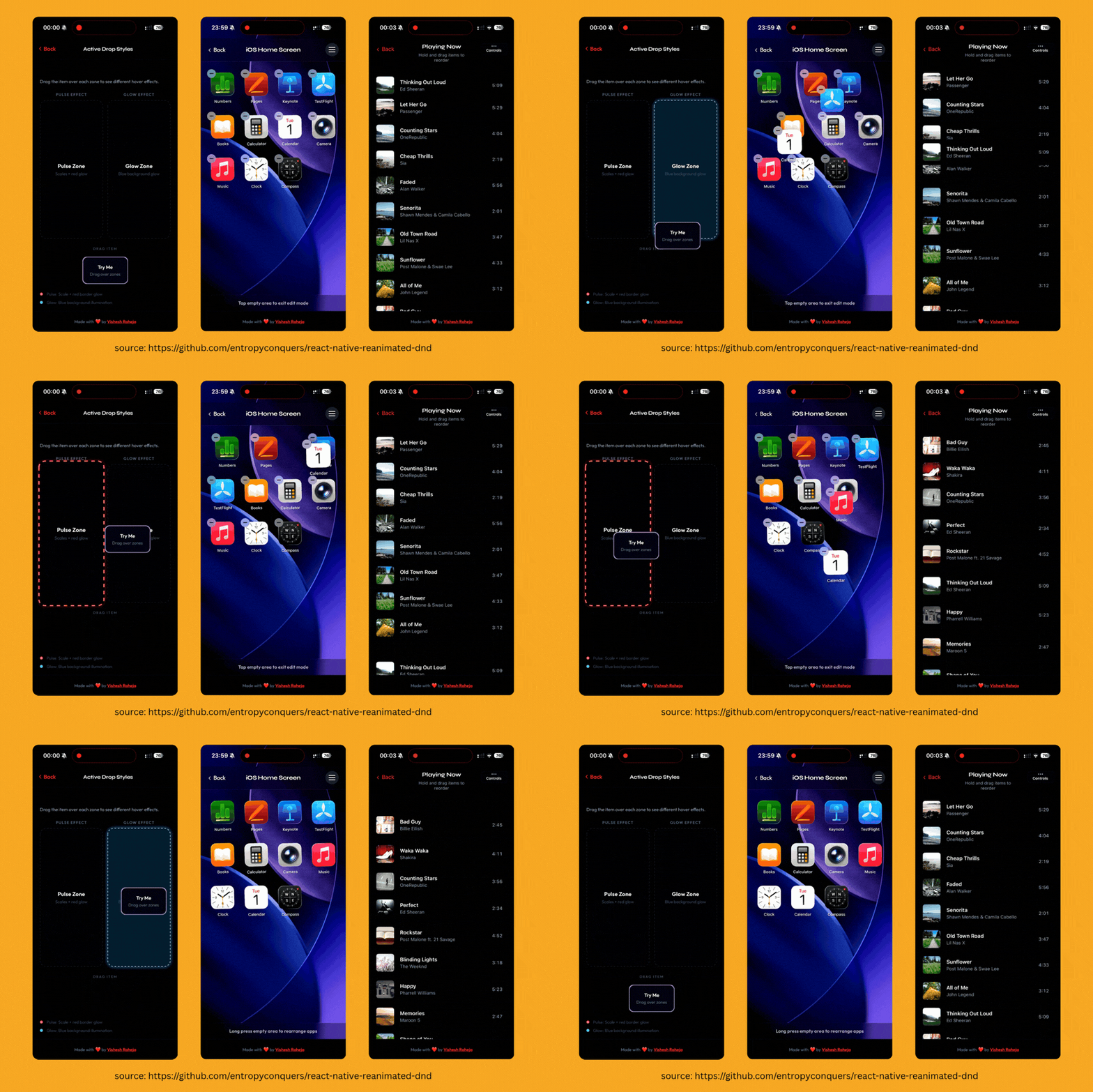
The API offers a full component library for building draggable and sortable experiences. This project offers way more than just simple use cases; it’s a full suite for drag-and-drop experiences.
Essentially, you would set up Draggable components. This can make any React Native component draggable with smooth animations, collision detection, and advanced features like drag-handles and custom constraints.
import { Draggable } from "react-native-reanimated-dnd"; function MyDraggable() { return ( <Draggable data={{ id: "1", name: "Item 1", type: "task" }}> <View style={styles.item}> <Text>Drag me!</Text> </View> </Draggable> ); }
Then, you can define a dropzone component to create areas that can receive draggable items with visual feedback, flexible positioning, capacity limits, and custom alignment options.
import { Droppable } from "react-native-reanimated-dnd"; function MyDropZone() { const handleDrop = (data) => { console.log("Item dropped:", data); // Handle the dropped item - update state, make API calls, etc. }; return ( <Droppable onDrop={handleDrop}> <View style={styles.dropZone}> <Text>Drop items here</Text> </View> </Droppable> ); }
This is an example of the API. The API also includes Sortable components for building complex sorting experiences, as well as a hook-based API for more custom handling.
It also includes an AI Skill for those using AI to write code—hey, we know you’re guilty 😉.
Honestly, we are incredibly impressed by the quality of this library; React Native Reanimated DnD seems like a magnum opus that could put Vishesh on the community map.
The only thing we ask?
Maybe some web support.
Then this would truly be the one DnD library to rule them all.
How React Native Teams Ship Updates in Minutes
Shipping a simple React Native fix shouldn’t take days of App Store review.
With CodePush on Bitrise, you can deliver JavaScript and asset updates directly to users in minutes while staying compliant with store policies.
Join our upcoming webinar to see how mobile teams use CodePush to fix bugs faster, ship features instantly, and keep full control over their release process. We’ll walk through real-world use cases, how CodePush works in practice, and how it fits into your existing CI/CD workflow.
👉 Save your seat to watch it live.
If you can’t make it, we’ll send you the recording.
Goodbye to the View Shot Monopoly
If you’ve been in the React Native space for a while, you are probably familiar with a well-known library called React Native View Shot. Essentially, this library allows you to capture a part of the React Native tree and output it as an image.
Now, if I had a dollar for every time someone asked me if there is an alternative library to View Shot, I’d probably be driving a Tesla; instead, I’m driving a Ford Fiesta—do the math.
Until now.
Antonín Wingender (@WingenderA) open-sourced a library called React Native View Recorder, which goes a bit further than React Native View Shot.
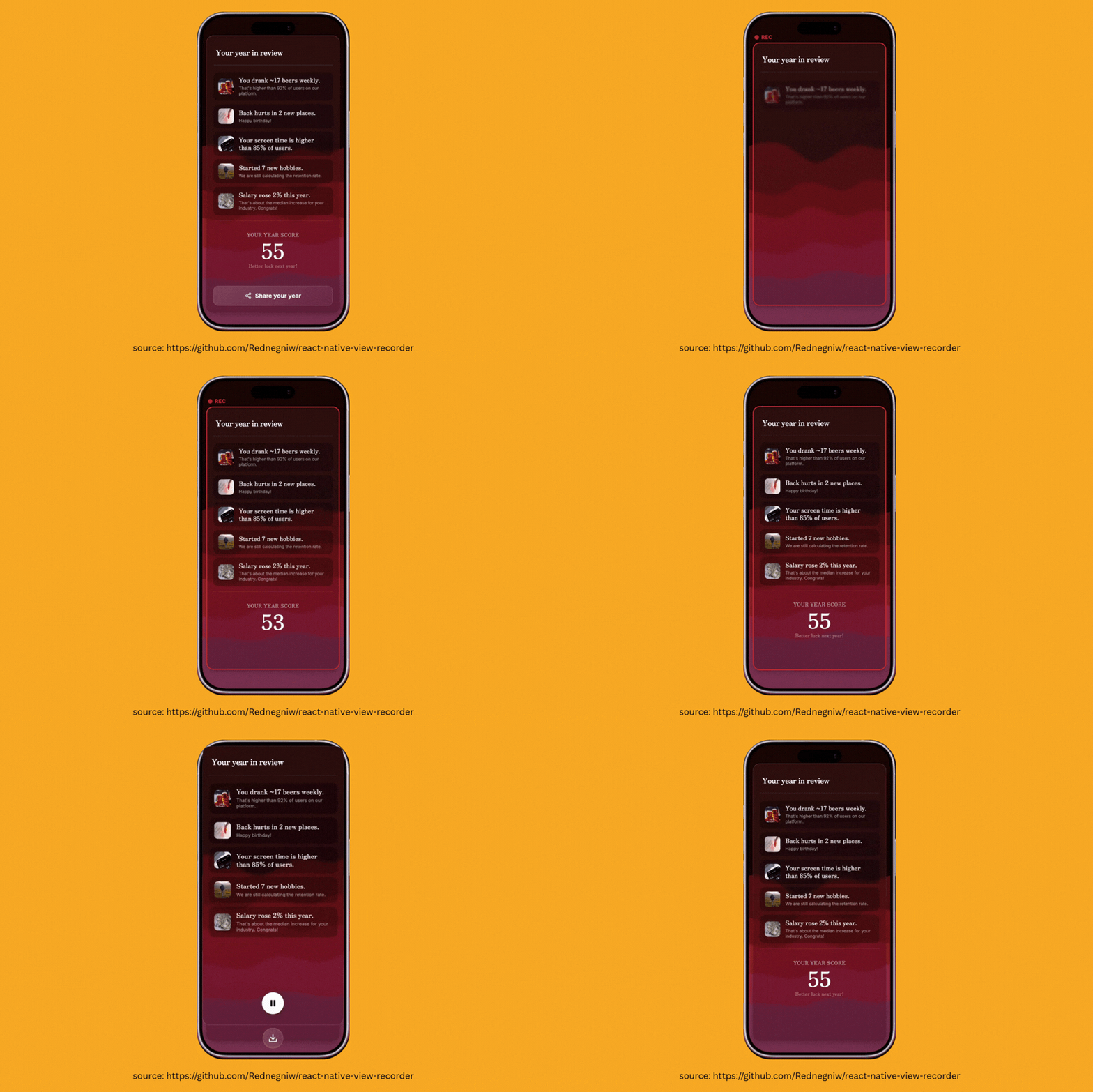
It allows you to record full-length videos of parts of your view hierarchy. I’m not talking about recording the screen; I’m talking about wrapping a component and calling a record function to record just that component:
const recorder = useViewRecorder(); const [frame, setFrame] = useState(0); const handleRecord = async () => { await recorder.record({ output: FileSystem.cacheDirectory + "video.mp4", fps: 30, totalFrames: 150, onFrame: async ({ frameIndex }) => setFrame(frameIndex), }); }; return ( <View style={{ flex: 1, alignItems: "center", justifyContent: "center" }}> <RecordingView sessionId={recorder.sessionId} style={{ width: 300, height: 200, backgroundColor: "#111" }} > <Text style={{ color: "#fff", fontSize: 48 }}>{frame}</Text> </RecordingView> <Button title="Record 5s" onPress={handleRecord} /> </View> );
So, what can this be used for?
Well, we are here to present it; the creativity is up to you.
It could be a drop-in replacement for React Native View Shot with a more modern API.
React Native View Shot has been great… but to put it in perspective, the last release was in 2023. It’s kinda… we don’t want to say it… we’re gonna get in trouble… un… unmaintained?
Other use-cases include recording the screen for shareable pieces of content. Think animation sequences in games or award sequences in apps which people may want to share with their friends… cough… cough… Spotify Wrapped.
And for you Skia lovers, as I know a lot of you reading this like Skia (an open-source 2D graphics engine by Google that renders text, shapes, and images across platforms like Android, Chrome, and React Native with high performance). It also supports Skia:
import { Canvas, Circle, Fill } from "@shopify/react-native-skia"; import { RecordingView, useViewRecorder } from "react-native-view-recorder"; function SkiaExample() { const recorder = useViewRecorder(); return ( <RecordingView sessionId={recorder.sessionId} style={{ width: 300, height: 300 }}> <Canvas style={{ flex: 1 }}> <Fill color="black" /> <Circle cx={150} cy={150} r={100} color="cyan" /> </Canvas> </RecordingView> ); }
If you are anything like me, you are probably thinking… at last… an alternative to React Native View Shot. So, in that odd case where View Shot doesn’t work, for whatever reason, you are not royally F.U.C.K.E.D.
Finding Inner Peace from Your Chat Interface
I once asked a wise monk, "What is your favourite keyboard library?".
He told me his favourite is one that handles every edge case—the kind of library the community has been craving because they’re tired of generic solutions that ignore specific use cases. I nodded in agreement.
We previously covered React Native Keyboard Controller in issue #20, but this time we’re looking at the latest release which just dropped, a merch drop, and Kirill (creator of react-native-keyboard-controller) definitely just made a few stacks off a merch drop.
In reality, this is all about keyboard handling for chat interfaces. Because, as that wise monk once told me: what is keyboard handling in React Native without edge case handling?
It specifically solves layout thrashing during keyboard animations which occurs when a layout property, such as paddingBottom or height, is updated on every frame of the animation to make room for the keyboard.
This forces the React Native layout engine to re-measure and re-position the entire view tree 60 to 120 times per second. Leading to visual glitches like shifting content and heavy performance costs on complex screens.
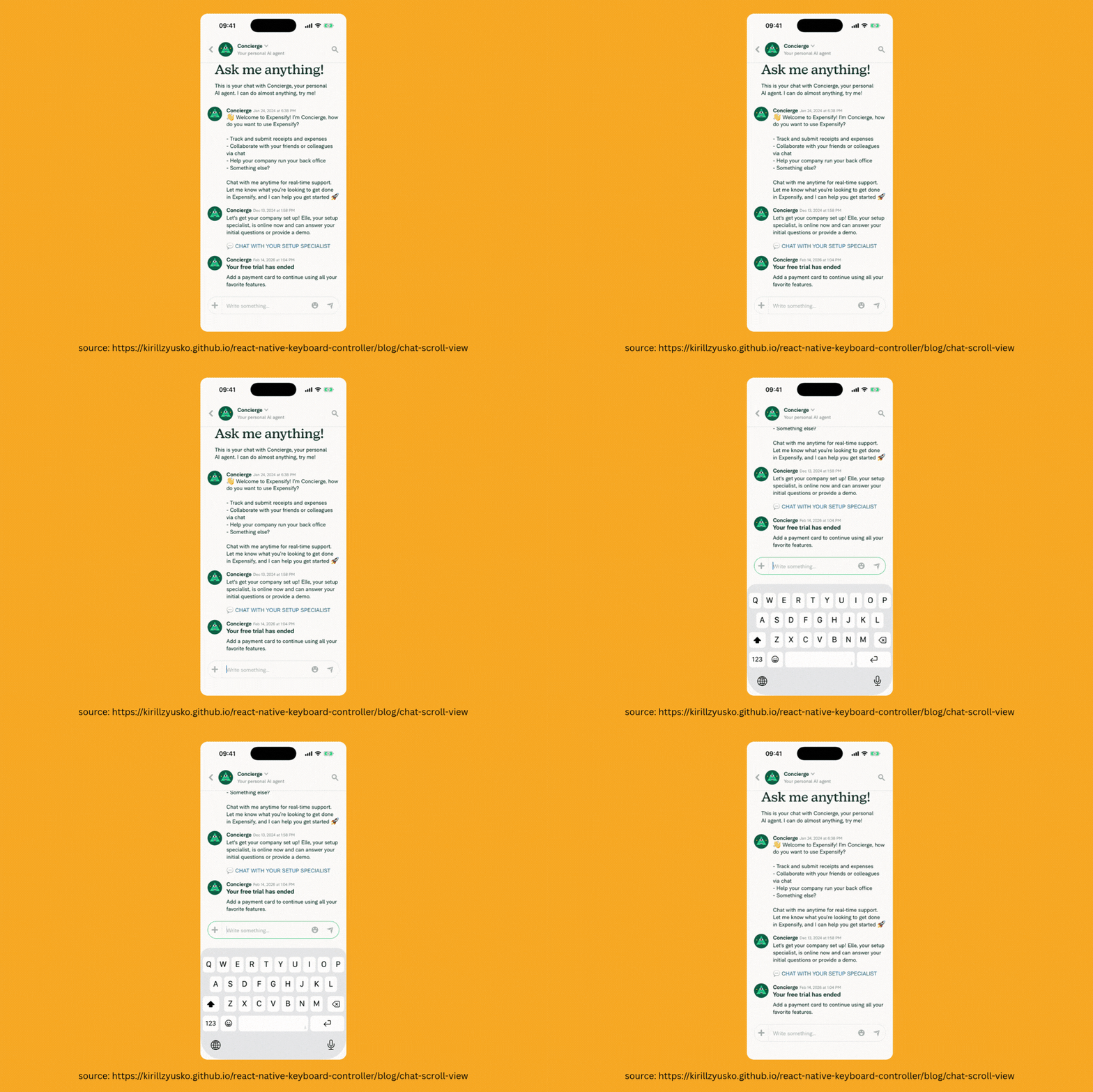
To solve this, a brand new component is coming to React Native Keyboard Controller… drum roll… make way for the KeyboardChatScrollView!
This component handles a number of edge cases within Chat UIs, such as lifting content only when the keyboard is opening (provided the user is not scrolling), supporting interactive swipe-to-dismiss functionality, and fixing janky keyboard animations.
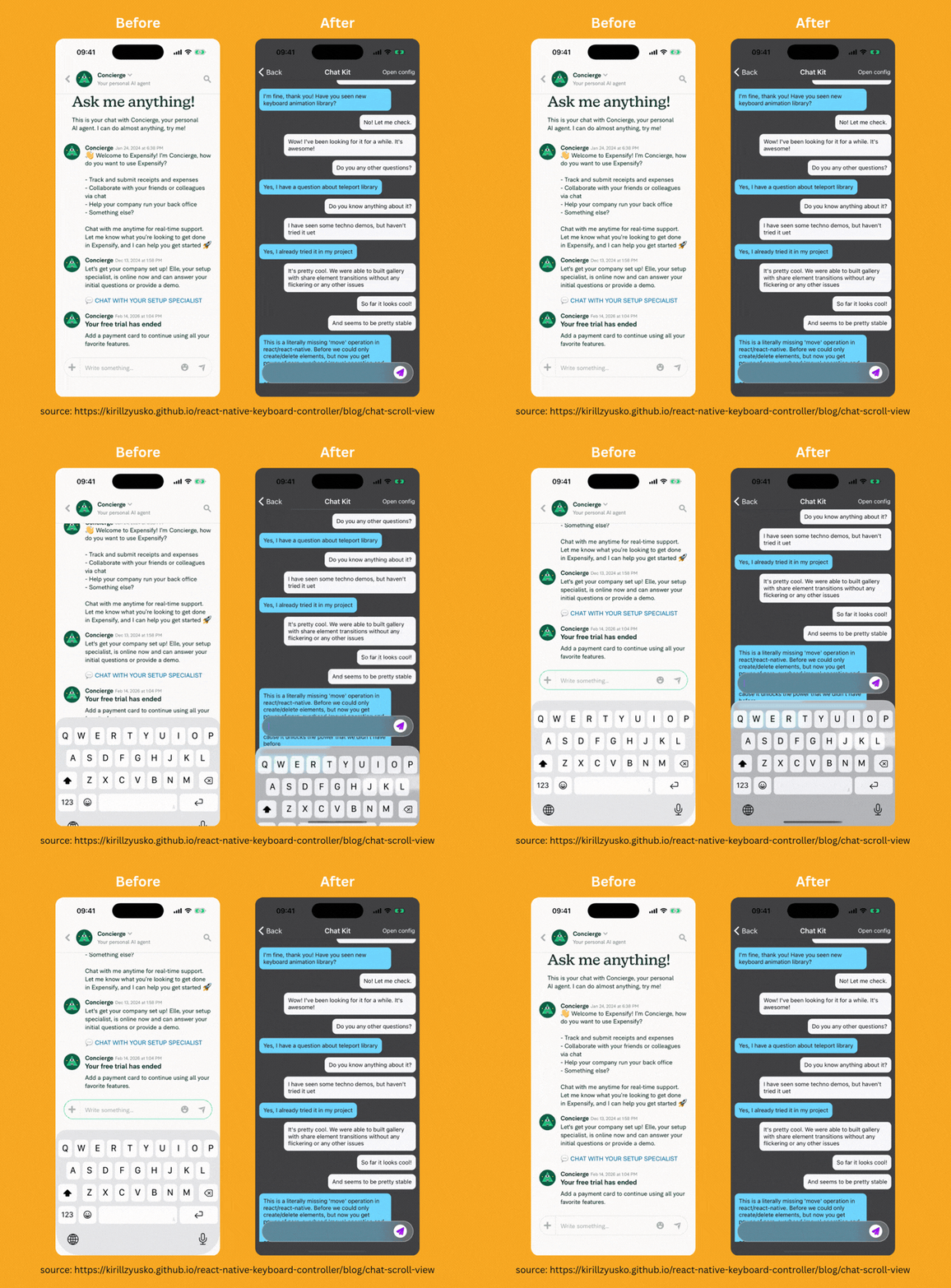
In a FlashList, this can be implemented simply like:
import { FlashList } from "@shopify/flash-list"; import { KeyboardChatScrollView } from "react-native-keyboard-controller"; const renderScrollComponent = (props) => <KeyboardChatScrollView {...props} />; return ( <FlashList data={messages} renderItem={({ item }) => <Message message={item} />} estimatedItemSize={80} renderScrollComponent={renderScrollComponent} /> );
So… next time you ask a wise monk about his path to enlightenment, he might just tell you that true inner peace starts with a chat interface that doesn't jitter.
Namaste.
👉 React Native Keyboard Controller