
Yoga is for Lululemon, Bro…
Expo 55 is here and we covered the main changes in Issue #28, although one thing we didn’t cover was updates to the Expo UI package. So Expo UI is essentially exposing primitives to be able to use platform UI libraries like SwiftUI and now Jetpack Compose (take that, Android lovers!).
So here comes a bit of context.
SwiftUI is an Apple framework that lets you quickly build apps with their signature look, animations, and features like Dark Mode built-in by default, we covered SwiftUI in Expo more in depth when it was first released back in #18.
Jetpack Compose is Google’s modern toolkit for building Android apps that automatically applies the "Material Design" look, with built-in support for Dark Mode, smooth animations, and adaptive layouts for different screen sizes.
@Composable fun JetpackCompose() { Card { var expanded by remember { mutableStateOf(false) } Column(Modifier.clickable { expanded = !expanded }) { Image(painterResource(R.drawable.jetpack_compose)) AnimatedVisibility(expanded) { Text( text = "Jetpack Compose", style = MaterialTheme.typography.bodyLarge, ) } } } }
It looks a bit like SwiftUI, doesn't it?
Both Apple and Google have a history of copying each other's API designs, but regardless of who's "borrowing" from whom, Expo now has beta support for Jetpack Compose.
You can write code like this, and it renders Jetpack Compose components under the hood:
import { Host, Column, Text } from '@expo/ui/jetpack-compose'; import { fillMaxWidth, paddingAll } from '@expo/ui/jetpack-compose/modifiers'; export default function ColumnExample() { return ( <Host matchContents> <Column verticalArrangement={{ spacedBy: 8 }} horizontalAlignment="center" modifiers={[fillMaxWidth(), paddingAll(16)]}> <Text>First</Text> <Text>Second</Text> <Text>Third</Text> </Column> </Host> ); } ****
With these results:
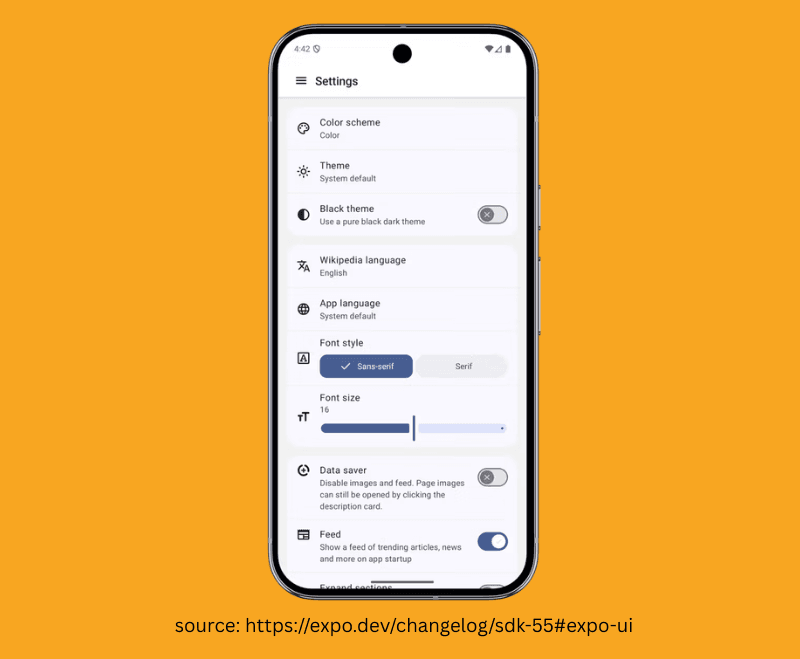
Now, you are probably thinking—and if you’re not, then you’re probably not thinking yet—that if we use Jetpack Compose and SwiftUI from Expo UI, we would essentially need to create iOS and Android components separately because they use different primitives and are styled slightly differently. You would be correct in thinking that, although there are some persuasive benefits to using the platform UI instead of plain React Native.
One is that you directly use platform primitives. If Apple pulls another "Liquid Glass" move and decides to melt their whole user interface and throw accessibility into a bottomless ditch, there is almost zero chance you will need to make a change at all.
You are using the platform primitives, and Apple loves apps that use SwiftUI.
Of course, why wouldn't they?
The next thing is performance. Yoga (a cross-platform layout engine written in C++ which mimics web flexbox) is the layout system for React Native that calculates the layout and then "commits" it to the native side. With Expo UI, we are using SwiftUI and Jetpack Compose under the hood, so there is no Yoga! As they would shout at a hostile takeover of a Lululemon flagship store.
The platforms are deeply optimised on both Apple and Google phones for their respective platform UI libraries. On a screen with a complex list or grid, you are skipping the creation and reconciliation of hundreds of C++ objects.
We may soon see a day when components are organised as MyComponent.android.ts and MyComponent.ios.ts, each with its own underlying UI implementation.
In that case, do we even need React Native at all?
Joking… of course we fucking do.
👉 Expo 55

Keep Your WebViews in 2020… Please!
We all know the story…
The web team at your company has just deployed a feature.
Management loves it, users love it, even your mom and cat love it.
Then, in a meeting with "Management," they ask, “So, when can we have this out on mobile?” —At that point, someone chirps up and says,
“We can just put it in a webview, right?”
Your fists clench, a tear runs down your cheek, and you flash back… to your 7th birthday, when you asked for a dog and got a Tamagotchi that died before the cake was even cut.
But do you ever have another moment after that, when you can see.
There is a way to honour content without sacrificing the soul of a native app. You don't have to choose between a clunky WebView and a complete rewrite—you can bridge both worlds using @native-html/render.
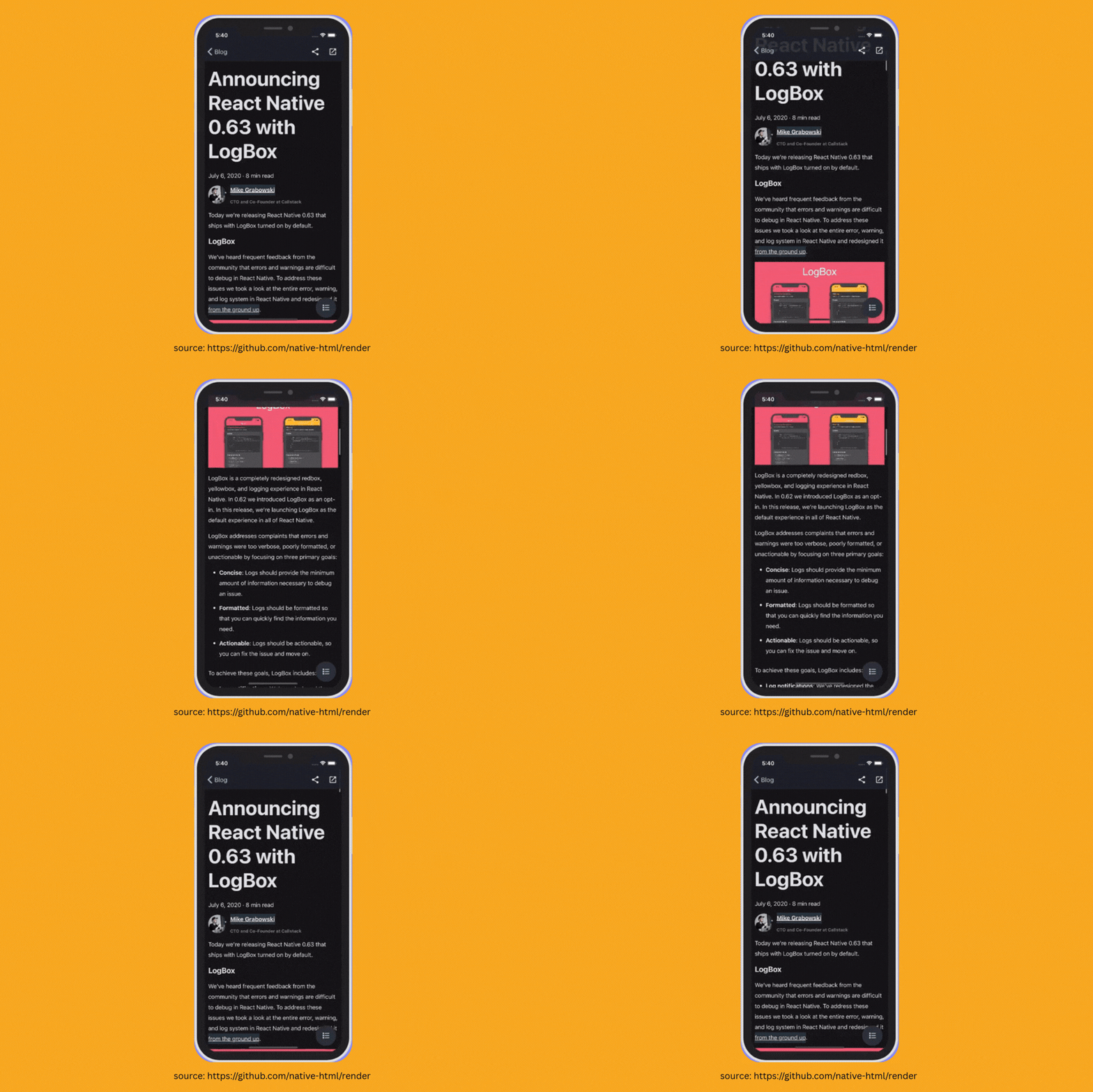
This package is actually an older one; it was released in 2020.
We’re covering it because the "Mansion of Mansions," the party mansion—Software Mansion—has taken over maintenance of this package, evidenced by their footer now appearing on the website. The library is essentially "batteries included." You provide the HTML, and it does the heavy lifting of converting those HTML tags into React Native equivalent nodes. In the end, you are rendering native.
import React from 'react'; import { useWindowDimensions } from 'react-native'; import RenderHtml from '@native-html/render'; const source = { html: ` <p style='text-align:center;'> Hello World! </p>` }; export default function App() { const { width } = useWindowDimensions(); return ( <RenderHtml contentWidth={width} source={source} /> ); }
It includes a @native-html/css-processor library which processes CSS and acts as a compatibility layer between CSS and React Native styles.
It’s actually that simple.
The next time management tries to sell you on the "WebView shortcut," remember: you aren't stuck in a 2020 lockdown anymore. Break the cycle, leave the Tiger King memes in the past, and give your HTML a real native home.

How to Get Replaced by an LLM in 3 Easy Steps
If you have been anywhere near the tech space lately—or any computer, for that matter—you have likely heard the term "Agents." An Agent is an autonomous system that uses an LLM as its central reasoning engine to navigate a loop of perception, planning, and action.
Agent Device by Callstack is not that… well… this is awkward. Agent Device is a set of tools inspired by Vercel’s Agent Browser. It lets your LLM—whether you are using Codex, Cursor, or running an LLM named Gary from a potato in your basement—use a skill that allows it to launch and interact with a mobile device.
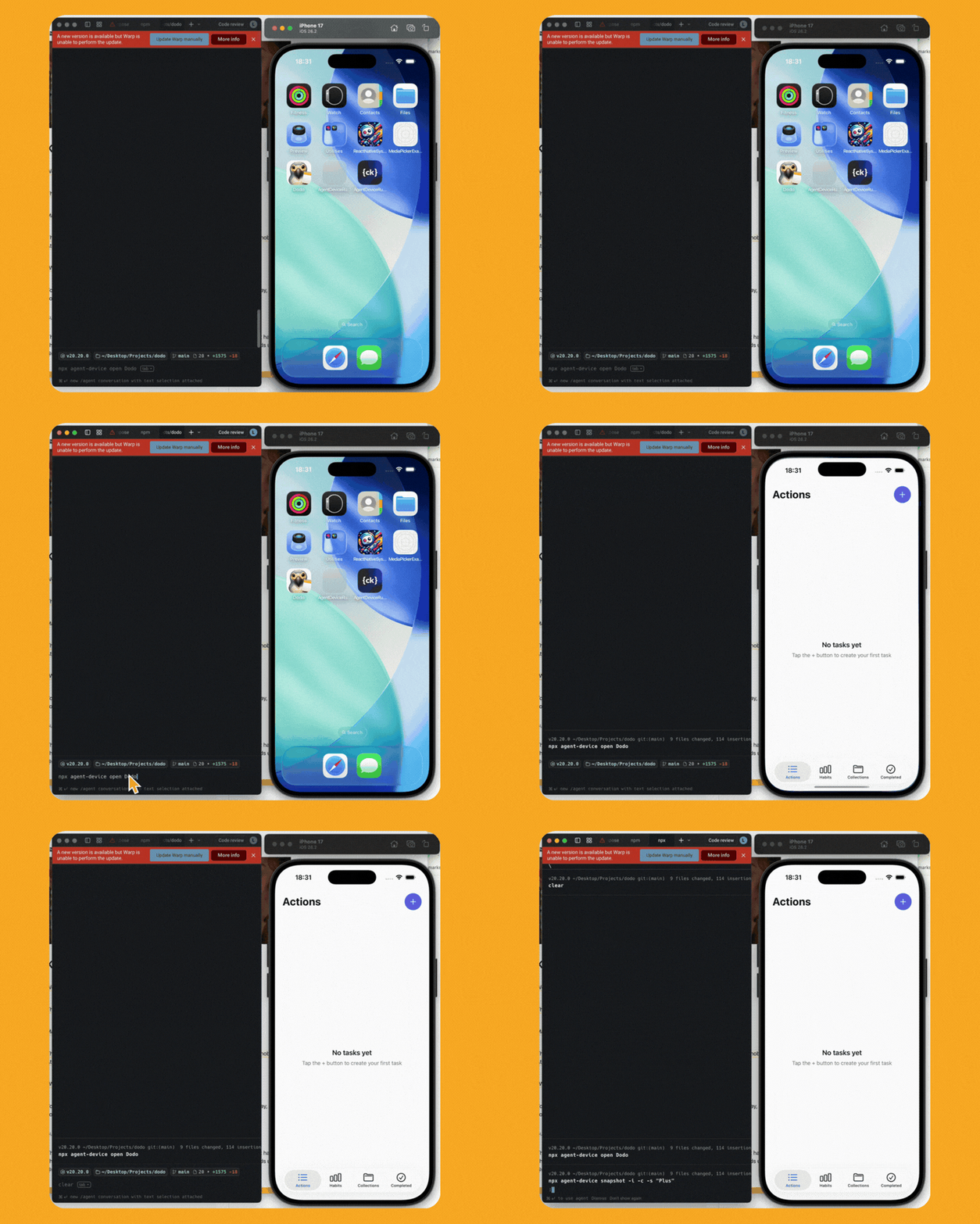
The impressive thing about it is that it’s developing fast—receiving dozens of fixes and features per week—and supporting an impressive set of commands. It allows interaction not just with the app itself, but with device settings, taking snapshots, and modifying configurations.
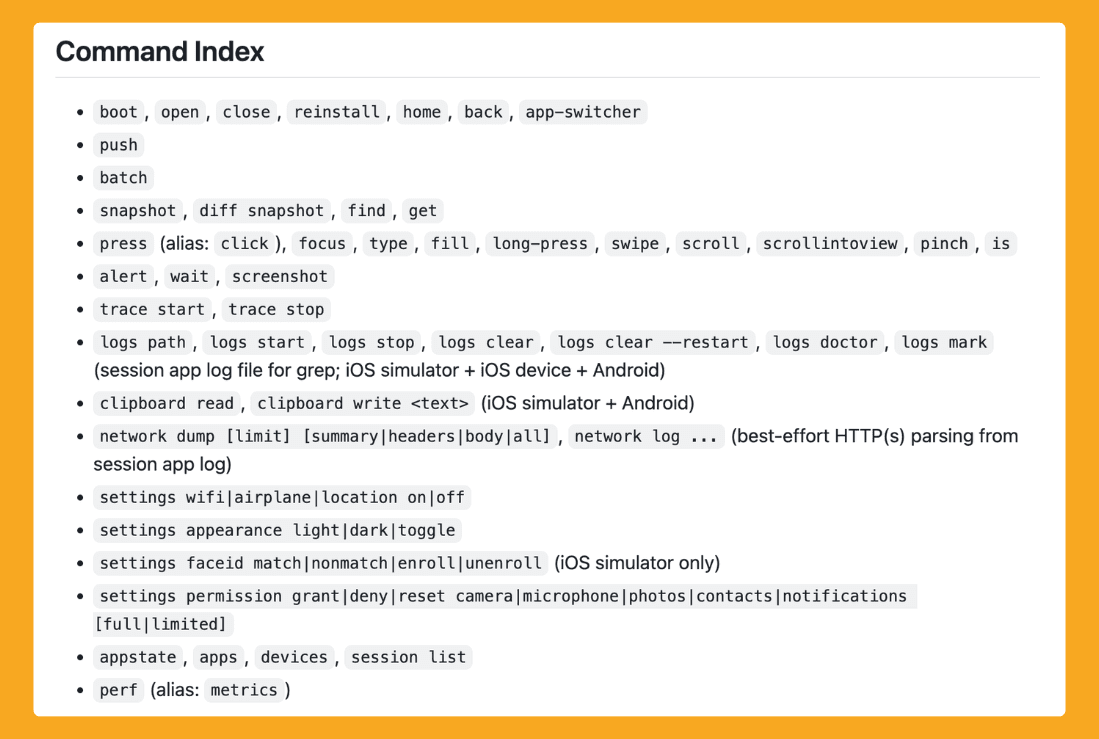
Since this is a low-level toolset, what can be done with it remains up to the creativity of the developer and community. At the very least, it means that when you ask your LLM to make a code or style fix, it could essentially verify the change with a snapshot—giving the LLM the ability to control your device so you are no longer the bridge between the two… (slow nervous laugh) ha.. ha…
Given our community's developer ratio, it would be a mockery to gloss over QA, you know?
There is a possible future with this sort of tooling where you could connect your LLM to business requirements or provide it with enough context about the app's inner workings that the LLM essentially drives the QA. This will change QA as we know it today. There is likely a million-dollar idea—you're welcome—for automated LLM-based testing in React Native.
Imagine asking your LLM to perform an in-depth QA of the onboarding flow and report any issues—or better yet, have it talk to another agent who fixes those bugs. This could finally resolve the QA bottleneck that exists in 98% of software.
I’d tell you more, but I’ve already been replaced by a shell script that’s much better at small talk.